1. To integrate Google Sheets into WooCommerce, we must provide Client ID & Client Secret.
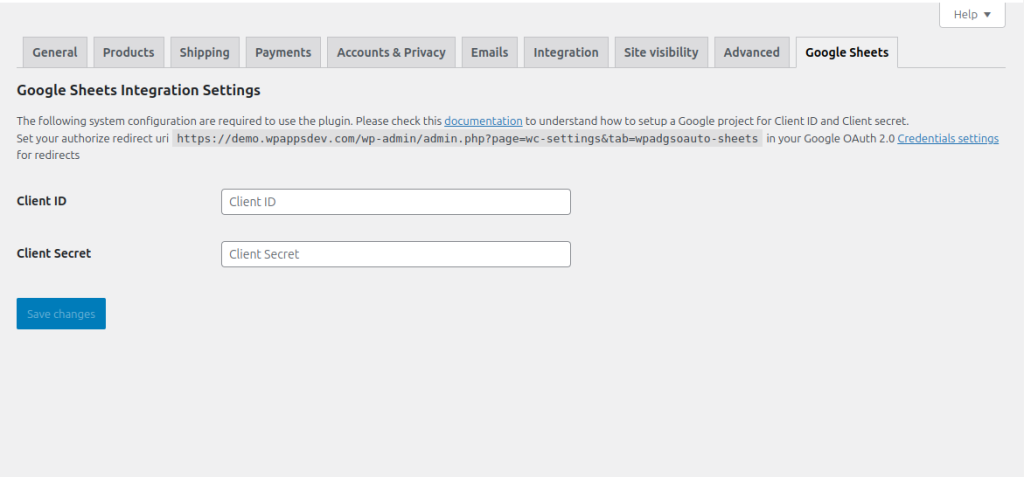
2. The Client ID and Client Secret come from the OAuth 2.0 Client IDs set up earlier.
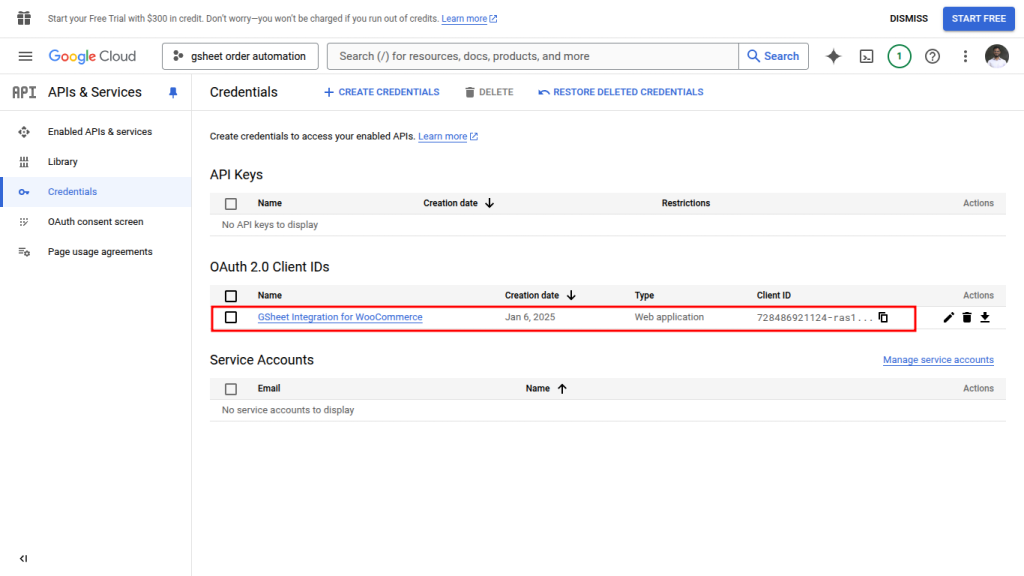
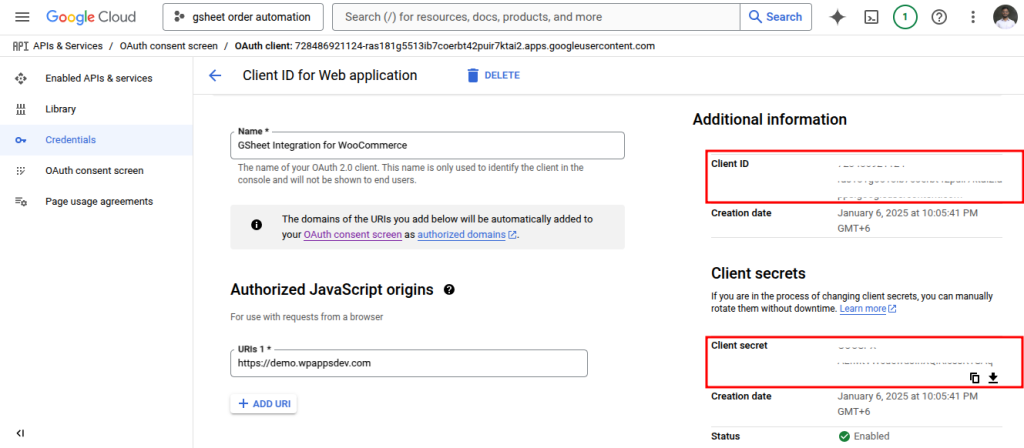
3. Click the ID and open the details. Client ID and Client Secret are on the right-hand side of the page.
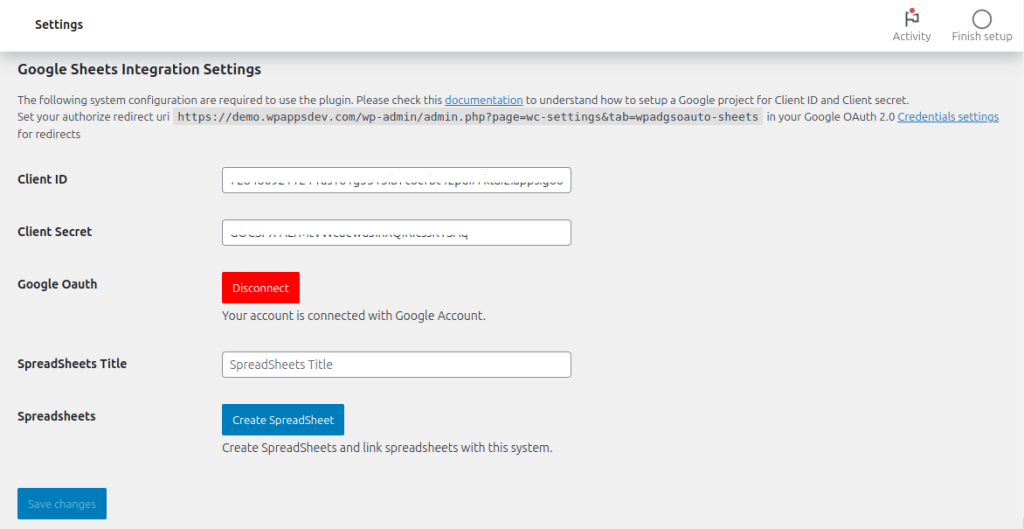
4. Copy and paste the information to the settings page. Click save changes. After that, a page like below should appear.