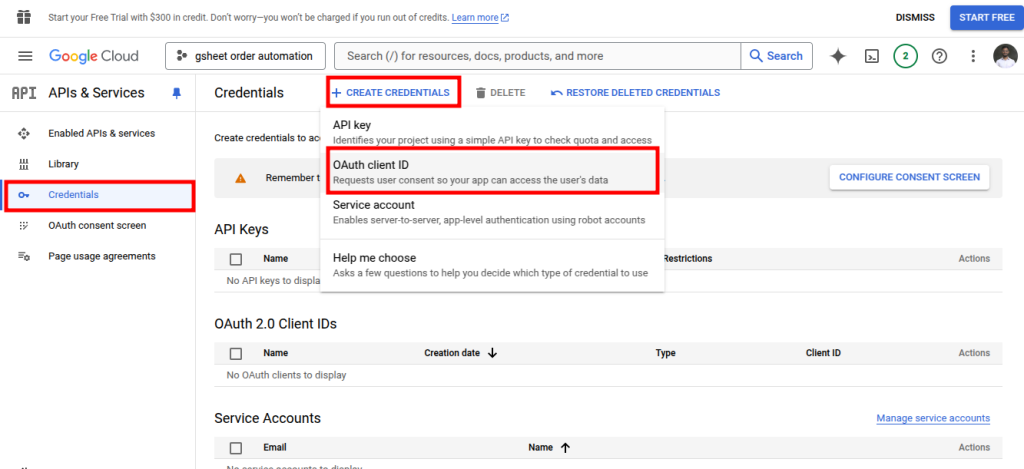
1. From the left panel, click Credentials, then CREATE CREDENTIALS, and finally OAuth Client ID.
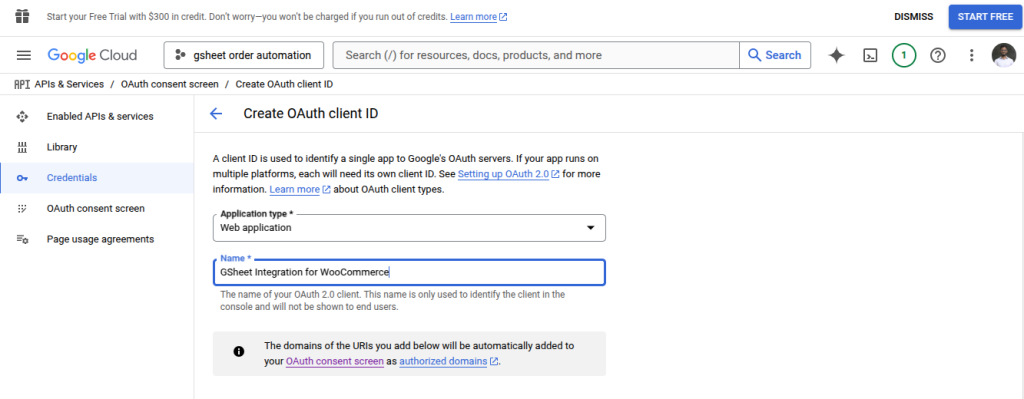
2. Provide the Application type and Name
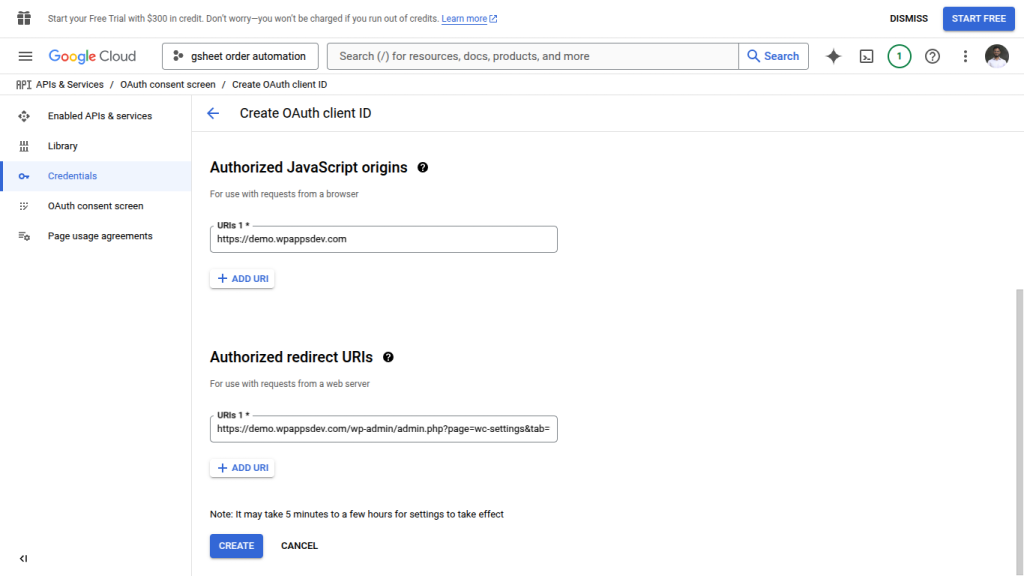
Then provide the URL of your shop in place of Authorized Javascript origins and the redirect link from the plugin setting page in place of Authorized redirect URIs.
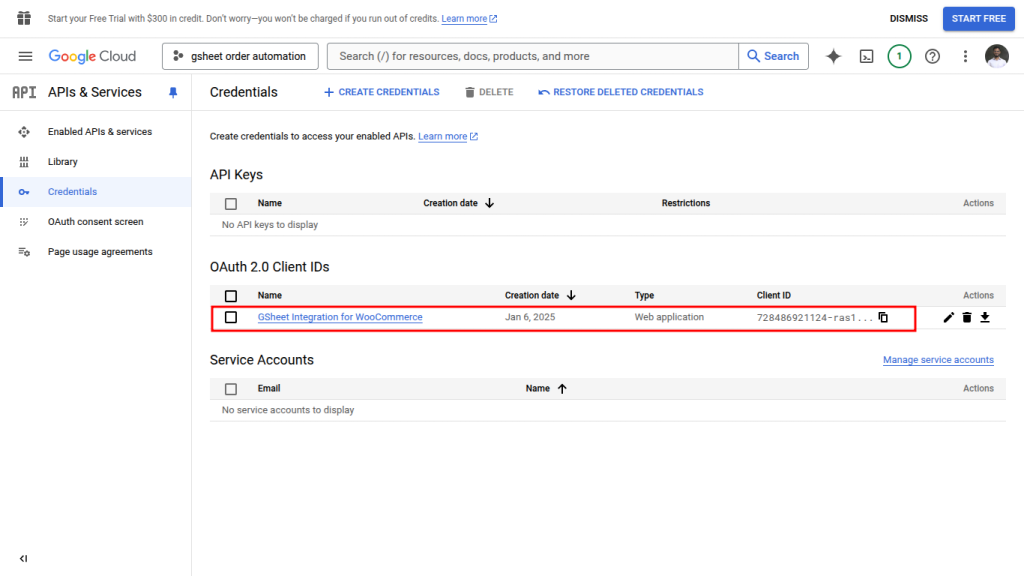
3. If the OAuth Consent Screen is already configured, the Client ID will appear on the screen.