WooCommerce Custom Product Builder or Configurator – Especially PC Builder Toolkit

  1. Home
  2. WooCommerce Custom Produc...
  3. Configuration
  4. Set filters group for a c...
  5. By Editing Component
⌘K
  1. Home
  2. WooCommerce Custom Produc...
  3. Configuration
  4. Set filters group for a c...
  5. By Editing Component

By Editing Component

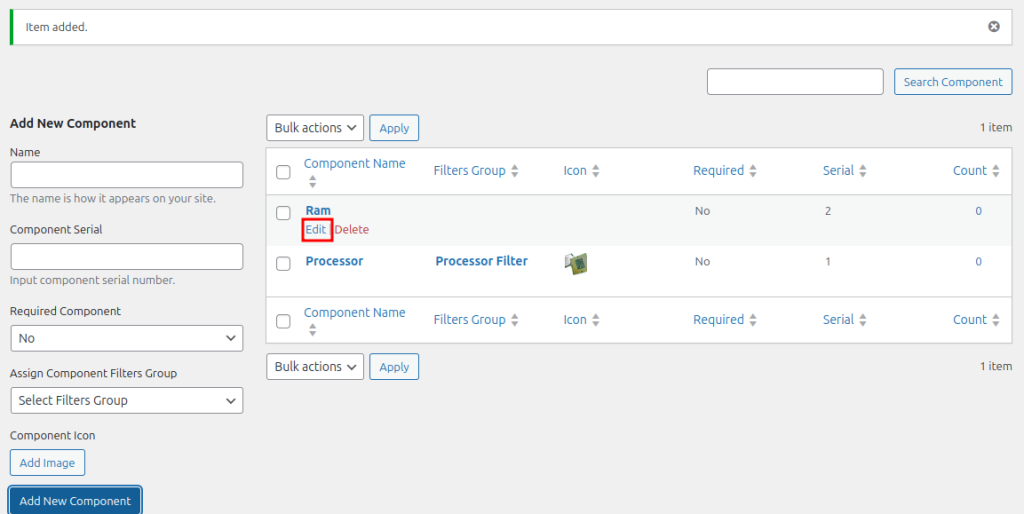
1. Go to WC Builder -> Components. Find the component that needs a filter group. Click Edit below it.
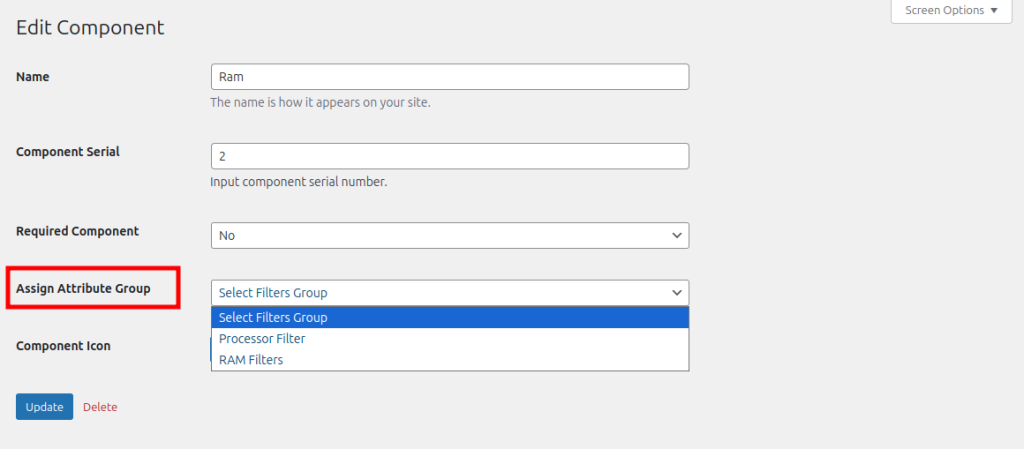
2. From the Edit Component page, select a filter group from the Assign Attribute Group dropdown menu. A Component Icon can also be added below it. Click Update to save changes.
How can we help?